
Where Your Quote Requests Stall: A 12-Question Manufacturing Lead Generation Check
Most manufacturing lead generation advice is a list of ways to get more traffic. Before you buy more, find out where the interest you already have stops. Twelve questions that trace a quote request from the first click to the estimator's desk, and what to fix at each one.
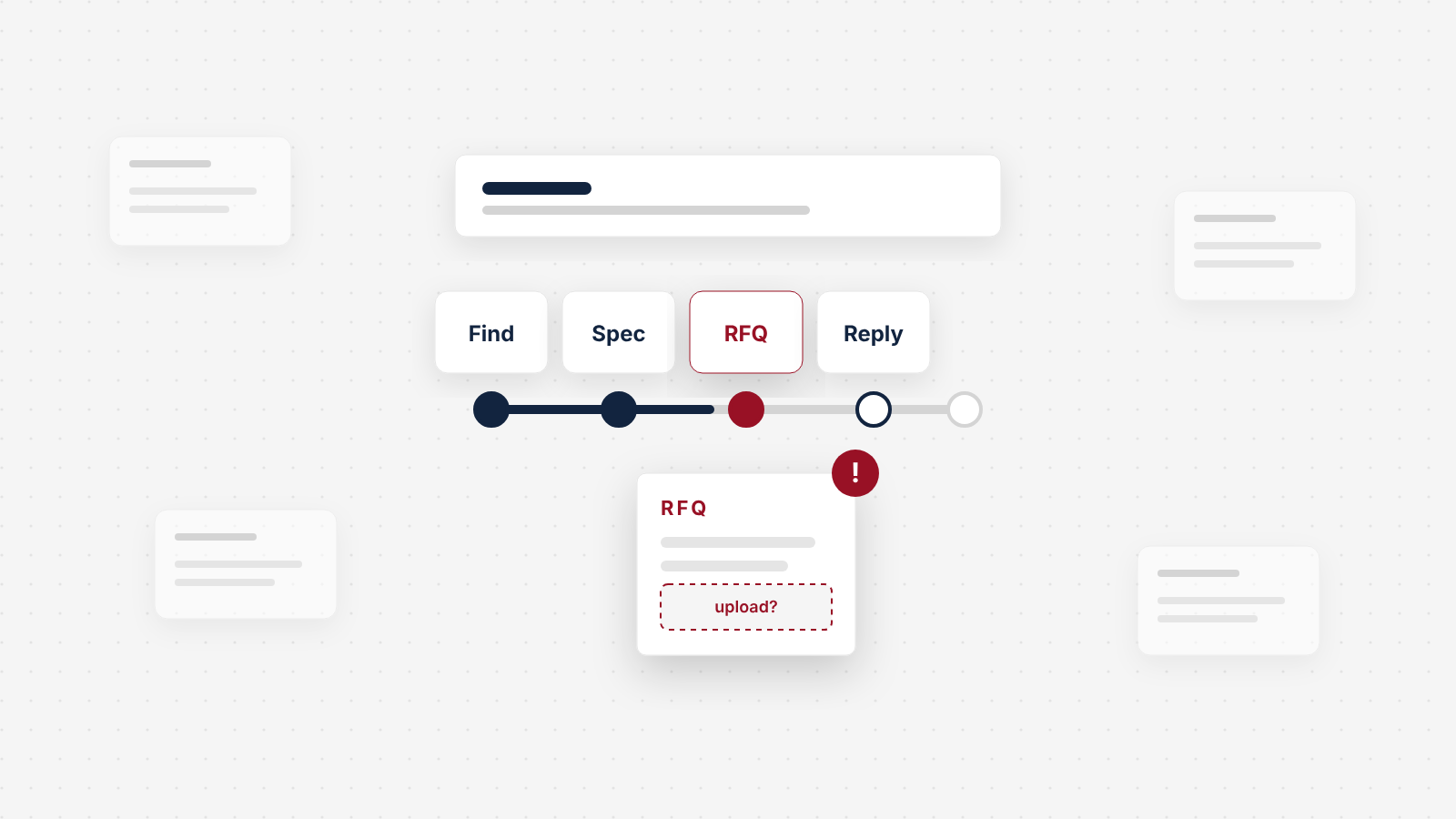
Most manufacturing lead generation advice starts with the same question: how do we get more leads? More shows, a paid Thomasnet listing, ads, an agency retainer. But most established manufacturers already have interest. A buyer met them at a show, a customer passed their name along, an engineer found them in a directory. The question that decides the year is what happens next. A quote request has to travel from that first moment of interest, through your website, across a form, into an inbox and onto an estimator's desk, and back as a reply. It can stall at a dozen points along the way, and you will rarely hear about any of them.
Manufacturing lead generation starts where quote requests stall
Here is the whole check. Answer each question yes or no, honestly, for your own site and your own team. Every no is a place where a quote request is stalling today.
The 12-question RFQ check
Answer yes or no for your own site and your own team. Tap a question's name to jump to how to fix it.
0 of 12 answered
0 yes0 no
Getting to the right page
- Matching landing pages
Does every channel you pay for land buyers on a page that matches what they came for?
- Two-click navigation
Can a buyer reach the right process or product page from your homepage in two clicks, using their own words?
- One-tap RFQ
From any product or capability page, can a buyer start an RFQ in one tap on a phone?
Deciding to ask
- Answers in numbers
Does each page answer an estimator's first questions in numbers: materials, sizes, tolerances, volumes?
- What you do not take on
Does each page say what you do not take on?
- Datasheets without a form
Can an engineer get the datasheet, and a real person's email address, without filling in a form?
Sending the request
- Real file uploads
Will the form take the files your buyers actually send, several at once, at real sizes?
- Only the fields you need
Are only the fields an estimator needs required, with a path for buyers who need an NDA first?
- Works on any device
Does the form submit cleanly from a phone and from a locked-down corporate laptop?
After they click submit
- Who replies, and when
Does the buyer see, and receive by email, who will reply and by when?
- Routing that cannot lose it
Does the request reach the right person, with the files, within minutes, somewhere it cannot get lost?
- One-hour reply
Do you acknowledge every RFQ within one business hour, and do you measure whether you did?
Your answers stay in this browser only.
If you only have an afternoon, start with questions 11 and 12. They need no design work, and they are the two an owner is least likely to have tested.
Most manufacturers do not need more leads first
Interest in a manufacturer rarely arrives as an RFQ. It arrives as a name: a booth visit, a referral, a directory listing, a search result. Then the buyer goes and checks.
Engineers do most of that checking alone. In the 2026 State of Marketing to Engineers report from TREW Marketing and GlobalSpec, engineers said they spend 62% of the buying journey researching online before they talk to anyone at a supplier, and 74% said they routinely look for product information on supplier and vendor websites (TREW Marketing and GlobalSpec, 2026).
That is why buying more interest is the wrong first move for most $2M to $20M manufacturers. Every channel you pay for, the show, the listing, the ad, ends on your website. If the path from there to a quote leaks, each new channel pours more buyers into the same leak, and the cost per quote request goes up with every dollar you add. Fix the path, and every channel you already pay for produces more without spending another dollar on reach.
This is the point where we disagree with most of the pages that rank for this topic. They are lists of channels. A channel list is the right answer for a company whose path already holds. For many manufacturers it does not, and nobody has checked.
What the buyer checks on your site before deciding to ask is its own subject, and we walked through it stop by stop in what manufacturing buyers check before they send an RFQ. This article picks up the same road and follows it further: through the form, across the inbox and back to the buyer.
The slow reply is the most expensive stall
The stalls after the buyer clicks submit are the most expensive ones, because by then the buyer has done all the work. They found you, they checked you, they chose to send you a drawing. If the reply is slow or never comes, you lose the buyer at the moment they were most ready.
The best-known study of this is old, but it is still the clearest. In 2011, researchers writing in Harvard Business Review audited how 2,241 US companies responded to a web lead. Only 37% replied within an hour, the average response time among companies that replied within 30 days was 42 hours, and 23% never replied (Oldroyd, McElheran and Elkington, Harvard Business Review, 2011).
How fast 2,241 US companies responded to a web lead
The same study found that firms which contacted a lead within an hour were nearly seven times as likely to qualify it as firms that waited even one more hour, and more than 60 times as likely as firms that waited 24 hours or longer (Harvard Business Review, 2011). The audit covered companies of all kinds, not manufacturers, and it is fifteen years old, so do not lean on the exact multipliers. Lean on the shape. A request that waits goes cold, and a buyer working down a short list of suppliers does not wait for the slowest one.
Your estimator cannot quote a request that is sitting in an inbox nobody checks.
Notice what the study measured: contact, not a finished quote. You cannot turn a complex quote around in an hour, and nobody expects you to. You can tell the buyer within an hour that a named person has their drawing and when the quote will arrive. That message costs nothing and keeps you on the list.
The 12-question check
Run this with two people: someone who knows the website, and someone who handles incoming requests, usually the estimator or inside sales. Use your phone, a laptop on a different network from the office, and one real drawing your team has quoted recently. Plan on two to three hours.
The questions follow the request in order. For each one there is the test to run and the fix if it fails.
Getting to the right page
Does every channel you pay for land buyers on the right page?
A buyer who scans the QR code on your booth graphic, clicks your directory listing or taps your ad wants the thing they were looking at, not your homepage. Sending them to the homepage makes them search for it again, on a phone, between meetings.
How to do it
- List every place your company name or link appears that you pay for or work at: trade show graphics and badges, directory profiles, paid ads, distributor listings, email signatures, printed literature.
- Click or scan each one. Write down where it lands.
- Repoint each to the most specific page that matches: the process or product the booth featured, the capability the directory listing describes.
- Add campaign tags to every link you control, so your analytics can tell show traffic from directory traffic later. Question 12 depends on this.
See a worked example
This is an illustrative example, not a client. A sheet metal fabricator exhibits a new laser cutting cell at a regional show. The QR code on the booth goes to the homepage, whose headline talks about "quality and service." They change it to a short show page: a photo of the cell, its bed size and material thicknesses, a "Send us a drawing" button and the name of the engineer who staffed the booth. The link is tagged with the show name, so every visit and RFQ from it can be counted.
Tools to use
Google's Campaign URL Builder adds the tags to each link, free. Use one consistent source name per channel ("tradeshow", "directory") so the reports stay readable.
Can a buyer reach the right page in two clicks, in their own words?
Referrals and repeat customers usually type your company name into a search and land on your homepage. From there, they need to reach the page for their process or product quickly. A menu that says "Solutions" and "Capabilities" makes them guess. A menu that names the processes ("CNC machining," "Sheet metal fabrication," "Assembly") or the industries you serve does not.
The test: give someone outside the company a real part description, for example "a stainless bracket, 500 pieces, bent and welded," and ask them to find the page that covers it from your homepage. Count the clicks and watch where they hesitate. If they need more than two clicks, or open the wrong page first, rename your menu items to the words buyers use. Your sales team's notes, and the queries in Google Search Console, tell you what those words are.
Can a buyer start an RFQ in one tap from any product or capability page?
The RFQ button often lives only in the header, or only on a contact page. The buyer who has just decided you can make their part should not have to go looking for it.
Put a "Request a quote" button on every product and capability page, near the spec data and again at the bottom, and make sure it stays visible on a phone without scrolling back up. Better still, carry the context along: a button on the CNC machining page should open the form with "CNC machining" already selected, so the request arrives labeled and goes to the right estimator (question 11).
Deciding to ask
Does each page answer an estimator's first questions in numbers?
The buyer decides whether to send a drawing by checking whether you could plausibly make it. If the page cannot tell them, many will not risk the quote cycle. It also works the other way: when the numbers are missing, you get requests you cannot quote, and your estimators spend hours on them.
How to do it
- Ask your estimator what they check first on a new RFQ. It is usually material, part size or envelope, tolerance, quantity, finish and secondary operations.
- Put those answers on each capability page in numbers: materials you run, maximum envelope, the tolerances you hold every day, typical run sizes and typical lead times as ranges.
- Pull the last 20 requests you could not quote. For each, note which number on the page would have told the buyer not to send it. Add those numbers first.
Steal our AI prompt
I run a manufacturing company. Below is the text of one of our capability pages and a list of the reasons our estimators gave for declining the last 20 RFQs we received. Tell me which declined requests the page could have prevented, and which specific numbers or statements we should add to the page so buyers can tell before sending a drawing whether we are a fit. Then draft a short spec table for the page with brackets where I need to fill in our real values. Page text: [paste]. Decline reasons: [paste]
When the product is complex enough that a table cannot answer the question, the fix can go further. Telling Industries makes a technically complex product line, and we built a custom product configurator alongside a full rebuild of their site so buyers could work through the options themselves. Qualified leads tripled after launch.
Does each page say what you do not take on?
This is the question owners push back on, because it feels like turning work away. It is the opposite. A line like "We do not run quantities under 50 pieces" or "Our largest bed is [size]; for larger parts, ask about our partner shops" saves the buyer a wasted request and saves your estimator a wasted afternoon. It also makes the rest of the page more believable. A supplier that says it does everything reads as a supplier that has not thought about it.
The test: read each capability page and ask whether a buyer with a job you would decline could tell from the page. If not, add one or two plain sentences on minimum quantities, size limits, materials you do not run or industries you do not serve. Your RFQ log (below) will show the effect within a few months as a rising share of requests you can quote.
Can an engineer get the datasheet, and a real email address, without a form?
A form in front of a datasheet stalls the engineer before they have decided to ask you anything. So does a contact page with only a generic form and no person behind it.
Engineers say how they would rather make first contact, and it is mostly not the phone. In the 2026 TREW Marketing and GlobalSpec research, 59% of engineers preferred email for their first contact with a salesperson, and 22% preferred a phone call (TREW Marketing and GlobalSpec, 2026). So open the datasheets, and next to every RFQ button, publish a monitored email address, something like quotes@ or an engineer's own address, with a line saying drawings can be sent there too. Some buyers will never use a form. Give them another way in, and count those emails in your RFQ log like any other request.
Sending the request
Will the form take the files your buyers actually send?
This is a common technical stall, and an invisible one. The form accepts one PDF up to a few megabytes, and the buyer has a STEP model of an assembly, three drawings and a spec sheet. They get an error, or worse, the form appears to submit and the files never arrive.
How to do it
- Look at your last ten RFQs that arrived by email. List the file types and sizes buyers sent. That is your real requirement.
- Set the form to accept those types (commonly STEP, IGES, DWG, DXF, PDF and ZIP) and several files per request, with a maximum size that covers the largest file you found.
- Store uploaded files on the server and send a link in the notification, not the file as an attachment. Gmail caps attachments at 25 MB for personal accounts (Google), and company mail servers set their own limits, so large attachments are exactly the requests that bounce.
- Submit a test RFQ with your largest real file and check that it arrives, complete, where it should.
See a worked example
This is an illustrative example, not a client. A machine shop's form plugin was set to its default file limit. Their largest recent RFQ, a STEP model with drawings, was several times that size. Buyers with small parts got through; buyers with the larger assemblies the shop most wanted saw an error and went elsewhere. Nobody inside the company knew, because a failed upload sends no notification.
Are only the estimator's fields required, with an NDA path?
Every required field is a reason to stop. An estimator needs name, company, email, part or product, material, quantity and required date, plus the files. Everything else, from annual spend to "how did you hear about us," can be optional or asked later.
Many buyers cannot send a drawing until an NDA is in place, and a form that asks for the drawing first loses them. Add one line next to the upload: "Need an NDA before you send drawings? [Download ours] or email us yours, and we will return it signed within [time]." Then make sure someone actually does. Our docs guide on how many form fields is too many covers the general rules.
Does the form submit from a phone and from a corporate laptop?
Forms fail in ways the person who built them never sees. A CAPTCHA that loops on a phone. A security tool on the buyer's company network that blocks the upload script. A session that times out while the buyer finds their file. An error message that clears every field.
Test it three ways: from your phone on cellular data, from a laptop on a guest or home network, and with a deliberate mistake, such as a missing email, to see whether the error message is clear and your entries survive. Then watch real visitors for a week with Microsoft Clarity, which is free and records sessions, and look for anyone who starts the form and does not finish. Where they stop is where it is broken.
After they click submit
Does the buyer see, and receive, who will reply and by when?
The moment after submit is where many sites leave the buyer with "Thanks, we will be in touch." The buyer does not know if the files arrived, who has them or when to expect anything. So they send the same request to two more suppliers, just in case.
Replace it with a confirmation page and an automatic email that say four things: the request arrived, with the file names listed; who will handle it, by name; when they will hear back ("within one business hour" if you can keep it); and how to reach that person directly. An illustrative confirmation line: "Thanks, Dana. We have your drawing (bracket-rev-C.step). Mike Ortiz, our estimator, will email you by 2:00 pm today to confirm details and give you a quote date." Every bracket of uncertainty you remove is one less reason to keep shopping.
Does the request reach the right person, with the files, within minutes?
This is where the most requests are lost without anyone knowing. The form sends to an info@ inbox nobody owns. Or to one salesperson who is on vacation. Or the notification lands in spam because the website sends mail without authentication. Since February 2024, Google has required everyone sending email to Gmail accounts to set up SPF or DKIM authentication for their sending domain (Google), and mail that fails these checks is more likely to be filtered.
How to do it
- Submit a test RFQ, then follow it. Time how long until a person sees it. Check that the files came with it.
- Send notifications to at least two people, or a shared inbox with a named owner and a backup for vacations and sick days.
- Route by what the buyer chose: the process selected on the form goes to the estimator who quotes it.
- Have the form also write every request to your CRM or a shared spreadsheet, so one lost email never means one lost request.
- Make sure the site sends through an authenticated mail service with SPF and DKIM set up for your domain. Ask whoever manages your site to confirm it in writing.
- Repeat the test every month, and after any website or email change.
Tools to use
Mail Tester gives you a free address to send your form's notification to, then scores it for spam signals and authentication. Google's email sender guidelines list what Gmail requires. Our docs guide on testing your contact forms walks through a monthly test, including what to check when notifications go to spam.
Do you acknowledge every RFQ within one business hour, and measure it?
A promise on the confirmation page is only worth something if someone keeps it. Write down who acknowledges new RFQs, who covers for them, and what the acknowledgement says: we have your drawing, here is who is quoting it, here is the date you will have the quote, here is a question if we have one.
Then measure it, because what is not measured drifts. Log the time each request arrived and the time a person replied. Look at the median every month. If it is creeping past an hour, you will see it before buyers stop coming back. The RFQ log section below shows the columns.
Steal our AI prompt
I run a manufacturing company. Write a short acknowledgement email our estimator can send within an hour of receiving an RFQ. It should confirm the files we received, name the estimator, give the date the quote will be ready, ask at most one clarifying question if needed, and offer a direct phone number. Keep it under 120 words, plain and friendly, no marketing language. Then write a second version for when we cannot quote the job, which explains why in one sentence and suggests what kind of supplier might fit. Our details: [company name, estimator name, typical quote turnaround, phone].
Make every channel land on the right page
Shows, directories, referrals and distributors are not competitors to your website. They are where your website's visitors come from. The job is to make each one hand the buyer to the right page and leave a trace you can count.
| Channel | Where it should land | How to count it |
|---|---|---|
| Trade show | A short page for the show: what you exhibited, the specs, the people who were there, an RFQ button | Tagged QR code and links; a "trade show" source in the RFQ log |
| Directory listing (Thomasnet and others) | The capability page that matches the listing's category | Tagged profile link; source column in the RFQ log |
| Referral or repeat customer | Your homepage, so it must route to process pages in two clicks (question 2) | Ask on the acknowledgement call; log it |
| Distributor or rep | A page for that line, with datasheets and a contact that reaches you | Ask your reps to use a tagged link |
| Paid search ads | The specific process or product page, never the homepage | Ad platform tracking plus your form's source field |
Two rules hold for all of them. Never send paid traffic to the homepage, because you are paying for a click that then has to search again. And count every channel by quotable RFQs, not visits or badge scans. A show that produced 300 scans and two quotable requests did something different from one that produced 40 scans and nine.
Keep an RFQ log, or you are guessing
Without a log, every conversation about lead generation is opinion. With one, it is arithmetic. A shared spreadsheet is enough. One row per request, from any source: form, email or phone.
The columns we would set up:
- Received: date and time.
- Source: show, directory, search, referral, distributor, repeat customer, unknown.
- Page: the page the form was submitted from, if it came through the site.
- Process or product: what they asked for.
- Files complete: yes or no.
- Acknowledged: date and time, and by whom.
- Quotable: yes or no, and if no, the reason in a few words.
- Quote sent: date.
- Outcome: won, lost, no answer. If lost, the reason if you know it.
Read three numbers from it every month:
- The quotable share. Of all requests, how many could your estimators actually quote? A low share means pages are attracting the wrong jobs (questions 4 and 5). The "reason" column tells you which page to fix.
- The median time to acknowledge. If it is over an hour, start with question 12.
- The win rate on quotes sent. This one is mostly about price, lead time and quality, not the website, but it tells you whether the requests the site brings in are the kind you win.
This is an illustrative example, not a client. A contract manufacturer starts a log and, after three months, finds 60 requests. Thirty-four were quotable. Most of the rest asked for quantities below their minimum or a process they do not run, and nearly all of those came from one general "Capabilities" page. The median acknowledgement was the next morning. Before spending anything on traffic, they add minimums and limits to that page and set an acknowledgement rule. Those two changes cost a week of work. The log, not a hunch, told them where to spend it.
The same log answers the money questions about channels. Divide what a show or listing costs by the quotable RFQs it produced, and you have a number you can compare across every channel you pay for.
A copy-ready version of the check
Copy it into a document, mark each line, and fix the no answers in this order: 11 and 12 first (no design work), then 7 and 10, then the rest. Re-run it every quarter and after any website change.
Where your quote requests stall: the 12-question check
Getting to the right page
- 1. Every paid or event channel lands on a matching page, not the homepage. Test: click or scan each link and note where it lands.
- 2. A buyer reaches the right process or product page from the homepage in two clicks. Test: give an outsider a real part description and count their clicks.
- 3. Every product and capability page has a "Request a quote" button that is visible on a phone. Test: open three pages on your phone.
Deciding to ask
- 4. Each capability page lists materials, sizes, tolerances, run sizes and typical lead times in numbers. Test: compare against what your estimator checks first.
- 5. Each capability page says what you do not take on (minimums, size limits, materials). Test: could a buyer with a job you would decline tell from the page?
- 6. Datasheets are open, and a monitored email address sits next to every RFQ button. Test: download a datasheet in a private window; email the address and time the reply.
Sending the request
- 7. The form accepts the file types and sizes buyers really send, several at once, and delivers them as links. Test: submit your largest real file.
- 8. Only name, company, email, part, material, quantity, date and files are required, and there is an NDA path. Test: count the required fields.
- 9. The form submits from a phone on cellular data and from a laptop off the office network, and errors keep entries. Test: submit both ways, once with a deliberate mistake.
After they click submit
- 10. The confirmation page and email name the files, the person and the reply time. Test: read what you receive after your test submission.
- 11. Requests reach at least two people or an owned shared inbox, route by process, copy to a CRM or sheet, and send through authenticated email. Test: follow a test RFQ and time it; check its spam score.
- 12. Every RFQ is acknowledged within one business hour, and the time is logged. Test: read the median acknowledgement time from last month's log.
The RFQ log (one row per request, from any source)
Received | Source | Page | Process or product | Files complete | Acknowledged (time, by whom) | Quotable (reason if no) | Quote sent | Outcome (reason if lost)
Monthly numbers: quotable share, median time to acknowledge, win rate on quotes sent.
For a quick outside view of the same path, the free Conversion Leak Scorecard scores your site from its URL on seven signals, including the call to action and lead capture. It will not see your inbox, which is why questions 11 and 12 are on you.
When the problem really is traffic
The 12 questions will not create demand that does not exist. Some manufacturers pass most of them and still get few requests. Here is how to tell.
Open Google Search Console and look at your capability pages over the last 12 months. If they get very few impressions for the processes and products you make, buyers are not finding you, and no form fix changes that. That is a traffic problem, and it is the point where search work, content, paid search or a stronger directory presence earns its cost. The same goes if your RFQ log shows a healthy quotable share and a fast acknowledgement, but only a handful of requests a month.
Some of this applies less to you. If you sell only through distributors, their catalogs may be where buyers decide, and your job shifts to supplying them with good data. If you build to print for a few long-standing customers, the account relationship matters more than the website. And a fast acknowledgement does not fix a slow quote. If quotes take two weeks to go out, a better path mostly brings in more requests that go cold at the estimator's desk instead of the inbox.
Finally, sometimes the site itself is the obstacle: a form plugin that cannot handle large files, a platform nobody can edit, capability pages that would need rebuilding from scratch. That is when a rebuild earns its cost. Our website redesign checklist shows how to plan one without losing what already works, and our Conversion System is the fixed eight-week version we run, with the baseline agreed before we start.
Manufacturing lead generation questions owners ask
How do manufacturers generate leads?
Most get interest from four places: trade shows, referrals and repeat customers, directories such as Thomasnet, and search. Very little of that interest arrives as a quote request directly. The buyer looks you up first, and your website decides whether they send an RFQ. So the most reliable lead generation for a small or mid-sized manufacturer is two things done together: send every channel to a page that matches what the buyer came for, and make the path from that page to a quote, and the reply after it, fast and dependable.
How fast should a manufacturer respond to an RFQ?
Acknowledge every RFQ within one business hour, with a named person and the date the quote will go out. The quote itself can take longer, as long as it arrives when you said it would. In a 2011 Harvard Business Review audit of 2,241 US companies, firms that contacted a web lead within an hour were nearly seven times as likely to qualify it as firms that waited even an hour longer, and 23% never responded at all. The study is old and not specific to manufacturing, but no newer research we know of suggests buyers have become more patient.
What should a manufacturer's RFQ form ask for?
Only what an estimator needs for a first quote: name, company, email, part or product, material, quantity and required date, plus an upload that takes several files in the formats your buyers send, such as STEP, IGES, DWG, DXF, PDF and ZIP. Make everything else optional. Next to the form, offer two other paths: a direct email address for buyers who would rather write, and a line on how to request an NDA before sending drawings.
Are trade shows still worth it for manufacturing lead generation?
Often yes, for meeting buyers and being seen in your industry. But a show creates interest, not RFQs. Most of the people who decide on a purchase were not at your booth, and the ones who were will look you up afterward. Judge a show by the quote requests it produces in the eight weeks after it, which means giving show visitors a dedicated page and tagging every link from the show, so you can count them.
Is Thomasnet worth paying for?
It depends on what it sends you, and you can only know that if you count it. Link your profile to specific capability pages instead of your homepage, tag those links so your analytics show where visitors came from, and add a source column to your RFQ log. After six months, compare the paid listing's cost with the quotable RFQs it produced. Keep it if the numbers work for your margins.
Should I hire a manufacturing marketing agency, or fix the website first?
Run the 12 questions first. If your RFQ path fails several of them, more traffic from an agency mostly buys more stalled requests, so fix the path before you pay for reach. If the path passes and your capability pages still get few visits from people searching for what you make, you have a traffic problem, and that is when outside help with search, ads or content earns its fee.
How much does manufacturing lead generation cost?
The cheapest part is usually the most valuable: most of the 12 questions are fixed with a few days of work on the site you have, plus a change in how your team handles incoming requests. Paid traffic, directory listings and shows cost the most and are worth more once the path holds. When the platform itself is the problem, our Conversion System is a fixed eight-week rebuild starting at $35,000, and we agree the baseline conversion rate with you before we start and design to double it within 90 days of launch, or keep working at our cost.
How do I measure the quality of manufacturing leads?
Keep an RFQ log and track three numbers each month: the share of requests your estimators could actually quote, the median time to acknowledge, and the share of quotes you win. Add the source and the page each request came from. Lead quality problems usually show up as a low quotable share, and the page the bad requests came from tells you what to fix.
Keep reading
 Branding & Digital Marketing
Have You Outgrown Your Brand? Refresh, Rebrand, or Fix the Website
Most established B2B companies that feel they have outgrown their brand have outgrown their website and their message, not their name or their logo. Here are the signs, what each one points to, a self-assessment you can run with your team, and a decision rule for refresh, rebrand or leave it.
 Branding & Digital Marketing
AI Search Is Changing B2B Discovery: What to Do About It
Your buyers' first reader is now often a machine. It reads your site, decides what you do, and puts you on the shortlist or quietly leaves you off. The verified data, what it means for manufacturers, and a self-audit to fix it.
 Branding & Digital Marketing
Brand Is a B2B Growth Lever, Not a Paint Job
Brand gets filed under the soft stuff right up until you see the numbers. Here is the business case for brand in B2B and manufacturing, and how to run it like the revenue engine it is.
See exactly where your site is losing conversions
Paste your URL and get an instant conversion score. No form to fill out, no sales call.
Strategies for businesses building what's next.
The Next Draft: occasional notes on turning B2B websites into pipeline. Unsubscribe any time.