
What Manufacturing Buyers Check on Your Website Before They Send an RFQ
Most manufacturing website design advice is a gallery of big-brand sites. This is the buyer's side: the eight checks an engineer or purchasing manager runs on your site, in order, from the first search to the RFQ, and what crosses you off the list at each one.
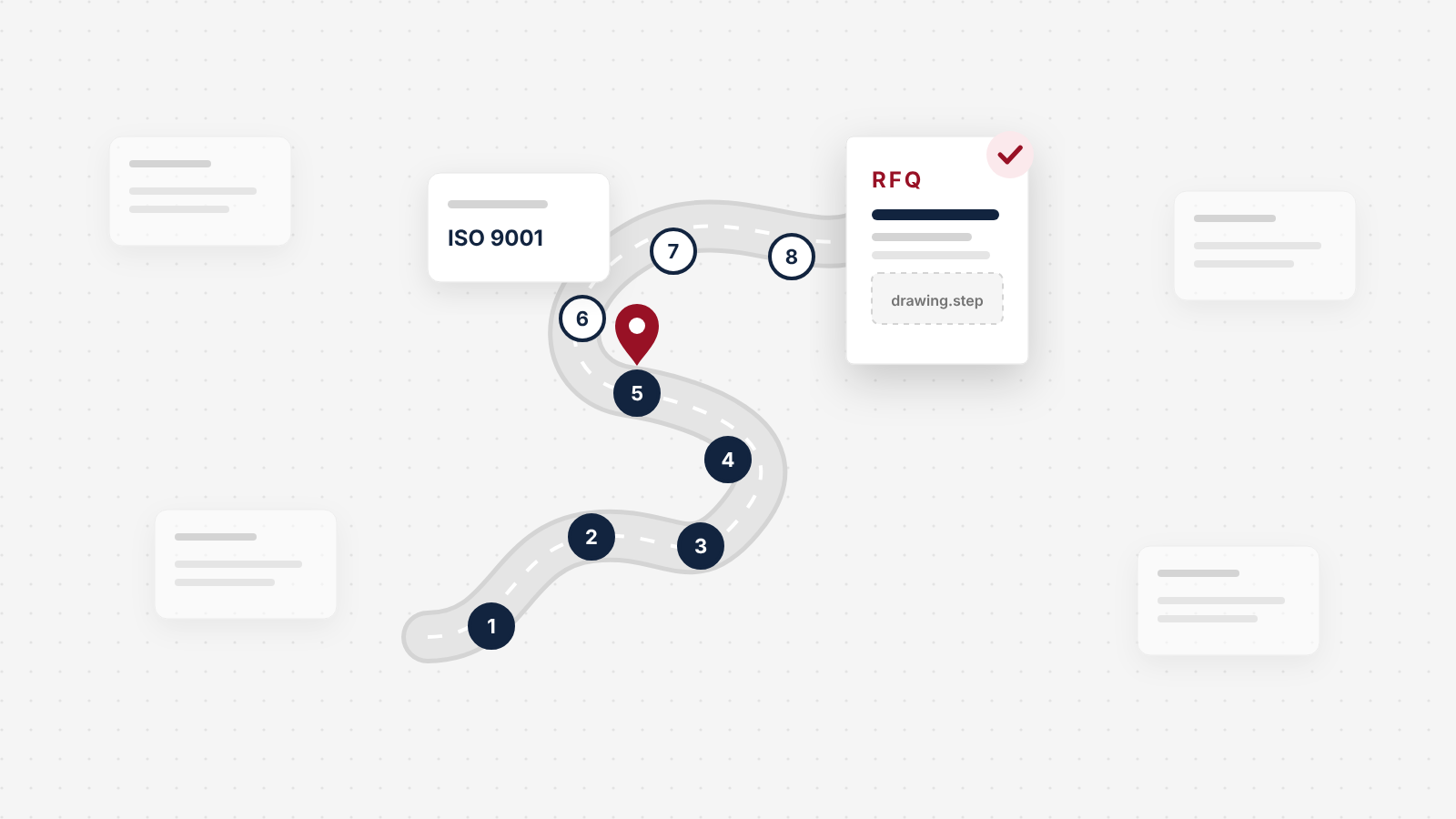
Most manufacturing website design advice is written from the designer's chair: galleries of Dyson and John Deere, lists of features to add. Your buyer is sitting in a different chair. An engineer or purchasing manager is working down a short list of suppliers, and your site is one tab out of five. They are not looking for a reason to pick you. They are looking for a reason to close the tab. Your website rarely wins you the job. What it can do is stop losing you the chance to quote, and that happens at eight predictable checks between the first search and the RFQ.
What manufacturing buyers check, in order
Before an industrial buyer calls you or sends an RFQ, they check eight things on your website, roughly in this order:
- The first search. Does one of your pages match the process, material or product they searched for?
- The five-second read. Can they tell what you make, for which industries, at what volumes?
- Can you make it? Equipment, materials, tolerances, part sizes and run sizes, in numbers.
- The data pull. Can the engineer get the datasheet or CAD file without a fight?
- The quality check. Which certifications you hold, and whether they are current.
- Who else trusts you. Work for comparable parts, customers or industries.
- Is anyone home? Signs the company is current and stable: real people, a real plant, recent dates.
- The RFQ. A form that works on a phone, takes drawings and says when you will reply.
Fail any one of them and you rarely hear about it. The buyer does not write to say your certificate had expired. They quote with someone else.
The shortlist is set before anyone calls you
By the time a buyer contacts you, most of the decision has been made. The research on this is consistent, even if none of it is perfect.
Engineers spend 62% of the buying journey researching online, according to the 2026 State of Marketing to Engineers report from TREW Marketing and GlobalSpec (TREW Marketing and GlobalSpec, 2026). In the 2025 edition, which surveyed 1,132 engineers and technical professionals, 72% said they spend at least half of the process online before they choose to speak to anyone at the company (TREW Marketing, 2025).
The shortlist also stays short. In a 2019 Thomas survey of 266 industrial buyers, 71% said they vet fewer than five suppliers before making a decision, and 73% said they pay close attention to a supplier's website (Thomas, 2019). That survey is seven years old, so read it as a long-standing pattern, not today's exact figure.
Newer cross-industry research points the same way. 6sense's 2025 buyer survey found that buyers first contact a vendor when they are, on average, 61% of the way through their process, that buyers start 79% of those conversations themselves, and that the vendor contacted first wins 8 out of 10 deals (6sense, 2025). That study leans toward software buyers, so do not lean on the exact numbers. Lean on the shape: the buyer does the work alone, on your website and your competitors', and arrives with a favorite.
The implication for you is uncomfortable. If your site loses a buyer at check three, there is no sales call to recover it, because there was never going to be a call. Your sales team cannot fix what they never see.
Your website rarely wins the job. Its real job is to keep you on a shortlist of five.
The road from first search to RFQ
Here is the whole journey as one road. Follow the pin through each stop: what the buyer is doing, what they look for on your site, the most common way manufacturers fail that check, and the fix.
The road from first search to RFQ
Eight checks, in the order buyers run them. Fail any one and you rarely hear about it. Pick a stop to see what the buyer looks for.
- First search
- Quote request sent
Stop 1 of 8Engineer
The first search
Searches for a process, material or product, often with a location, or asks an AI assistant the same question.
- What they check
- Whether one of your pages is about exactly that capability.
- Where sites fail
- One Capabilities page lists every process in a single paragraph, so the site matches no specific search.
- The fix
- Give each core process or product family its own page, titled the way buyers search for it.
Searches for a process, material or product, often with a location, or asks an AI assistant the same question.
- What they check
- Whether one of your pages is about exactly that capability.
- Where sites fail
- One Capabilities page lists every process in a single paragraph, so the site matches no specific search.
- The fix
- Give each core process or product family its own page, titled the way buyers search for it.
- Quote request sent
Two things stand out when you lay it out this way. First, the homepage is only one stop of eight. Most of the checks happen on capability pages, the certifications page and the RFQ form, which are the pages that get the least design attention. Second, the most common failures are not about how the site looks. They are missing numbers, expired documents, gated files and broken forms. None of those needs a bigger design budget. They need someone to own them.
Three people check your site, for different reasons
The road above is one journey, but on most industrial purchases more than one person walks it. Our docs guide on manufacturing websites splits visitors into six groups. For the buying decision, three matter most:
| Who | What they are trying to answer | Stops they care about most |
|---|---|---|
| The engineer | Can this supplier make my part, to my spec? | Search, capabilities, the data pull |
| Purchasing or supply chain | Is this supplier qualified, and is it a safe choice? | The quality check, proof, the RFQ |
| The owner or plant manager | Will they still be here, and can they handle our volume? | Is anyone home, proof, capabilities |
The engineer is usually first and the least patient with marketing language. Purchasing arrives later with a checklist of its own, often an approved-supplier process that starts with certifications. The owner or plant manager may only glance at the site, but what they look for is stability: a real facility, real people, a company that is clearly still investing. If your site is written for only one of them, usually whoever approved the copy, the other two leave with questions.
Engineers want the datasheet, not the brand film
When TREW Marketing asked engineers which forms of content are most valuable when they research a significant work purchase, datasheets came first by a wide margin (TREW Marketing, 2025):
The content engineers find most valuable when researching a purchase
The same report asked engineers to score what signals a credible supplier, on a scale of 1 to 5. The top factor, at 4.0, was an "informative and well-maintained website," ahead of customer references, case studies with well-known brands and trade show presence (TREW Marketing, 2025). Not an impressive website. An informative, maintained one.
That changes where you spend. A homepage video costs a lot and answers none of an engineer's questions. A complete, current datasheet for every product family costs much less and answers the first one.
It also tells you what to put on the site to make the call happen sooner. Asked what motivated their first conversation with a salesperson, engineers said:
Why engineers first contacted a supplier's salesperson
Read that as a to-do list. Engineers call when the product is complex, when they need pricing or stock, and when they want to confirm what they read. So give them a clear way to talk to someone technical, publish the ranges you can (lead times, minimums, run sizes), and make sure what they read online matches what your team will say on the phone.
Walk the road yourself: an eight-stop audit
You can run this audit in an afternoon. Open your site on your phone and on a laptop, in a private browser window, and walk it as a stranger would. You need:
- Your site, and the sites of the two competitors you lose to most often.
- Access to Google Search Console and Google Analytics, or someone who has it.
- The certificates you currently hold, with their expiry dates.
- One real recent RFQ, so you know what a buyer actually sends.
The first search: find the page that should rank
Buyers search for a capability, not a company. An engineer types something like "5-axis CNC machining aluminum Illinois" or "contract packaging for powdered supplements," or asks an AI assistant the same question. If your only match is a single "Capabilities" page that lists twelve processes in one paragraph, you are unlikely to show up for any of them.
How to do it
- In Google Search Console, open Performance, then Queries, for the last 12 months. Note which process, material and product terms already bring you impressions.
- For each core process or product family, check whether a page exists that is about only that. If not, that is your first gap.
- Search your top three capability phrases yourself, in a private window. Note who ranks, and open their pages. That is the bar you are measured against.
See a worked example
This is an illustrative example, not a client. A precision machine shop has one Capabilities page covering CNC milling, CNC turning, wire EDM, anodizing and assembly. It splits that into five pages, each with its own heading ("Wire EDM machining in [city]"), its own spec table and its own RFQ button. Each page now has a chance to match a specific search, and each RFQ arrives already labeled with the process.
Tools to use
Google Search Console for the queries you already appear for. Our docs guide on manufacturing websites covers how engineers search and why one page per capability helps.
Steal our AI prompt
I run a manufacturing company. Below is the text of our Capabilities page and an export of the search queries from Google Search Console for the last 12 months. Group the queries by process, material and product type. For each group, tell me whether our current page answers it, and recommend which separate pages we should create, with a suggested page title and the spec details each page must include. Page text: [paste]. Queries: [paste]
The five-second read: say what you make, for whom, at what scale
When the buyer lands, they decide in seconds whether you are even the right kind of supplier. They want three facts: what you make or do, which industries you serve, and the volumes you are set up for. "Quality. Precision. Service." over a stock photo of a factory gives them none of the three, and every competitor's site says the same thing.
The test: show your homepage, or your top landing page, to someone outside the company for five seconds, then ask them to tell you those three facts. If they cannot, rewrite the headline until they can. An illustrative example (not a client): "Precision sheet metal fabrication for medical and lab equipment makers. Prototypes to 10,000-piece runs." Then replace the stock photo with a photo of your own floor.
Can you make it? Put the numbers on the page
This is the stop where most manufacturing sites lose the engineer. They want to know, before they waste a quote cycle, whether the part fits your equipment, your materials and your tolerances. Adjectives cannot answer that. Numbers can.
How to do it
- For each capability page, add a spec table: equipment (make, model, count), materials, maximum part size or envelope, the tolerances you routinely hold, finishes and secondary operations, and typical run sizes.
- Write the tolerance you hold every day, not the best you have ever hit. An engineer who quotes off your page and gets a different answer on the phone will not trust the rest of the site.
- Add typical lead times and minimum order quantities as ranges if you can. Pricing and inventory questions are the second most common reason engineers first call a salesperson (TREW Marketing, 2025), and a range answers it before they call someone else.
See a worked example
This is an illustrative example, not a client. A spec table for a CNC milling page might read: "Equipment: four 5-axis machining centers. Materials: aluminum, stainless steel, titanium, PEEK. Max envelope: [size]. Standard tolerance: [value]. Run sizes: 1 to 5,000. Typical lead time: [range]." Every bracket is a question your estimators answer on the phone every week. Answering it on the page means the RFQs you receive are for parts you can actually make.
When the product itself is complex, the fix can go further than a table. Telling Industries makes a technically complex product line, and buyers could not work out the right configuration on their own. We built a custom product configurator alongside a full rebuild of the site, so buyers could work through the options themselves, and qualified leads tripled after launch.
The data pull: open the datasheets
The engineer now wants the datasheet, and maybe the CAD file to test-fit your part in their assembly. This is where many sites put up a nine-field form, or serve a 40 MB PDF that will not open on a phone. Either one sends the engineer to the next tab.
Our position, and some marketers will disagree: datasheets should be open, always. They are the most valued content type in the TREW research (79%), and a form in front of the thing an engineer wants most reads as "we care more about your email than your project." CAD files can sit behind a short form (name, company, email) if your sales team actually follows up on those downloads. If nobody follows up, the form only costs you engineers.
How to do it
- List every datasheet, spec sheet and CAD file on the site. Open each one on your phone. Note any that are broken, out of date or more than a few megabytes.
- Remove the form from datasheets. Keep a short form only where someone follows up.
- Put a revision date on every document, so the engineer knows it is current.
Guides to use
Our docs guide on PDFs and documents on your site covers file size, naming and when to gate.
The quality check: show the certificate, not just the badge
Purchasing usually starts here, often with an approved-supplier checklist in hand. A row of certification logos in the footer is not enough. They want to know which standard, which scope, which certification body, and whether it is current.
They can also check. ISO itself does not issue certificates; accredited certification bodies do, and buyers can look up accredited certifications in the IAF CertSearch database (ISO). If your site shows a certificate that has lapsed or does not match the database, that is not a design flaw. It is a disqualifier.
How to do it
- Build one certifications page. For each certification, list the standard (ISO 9001:2015, AS9100D, IATF 16949, ISO 13485, SQF and so on), the scope, the certification body, the certificate number and the expiry date, with a downloadable PDF of the certificate.
- Add ITAR registration, quality equipment (CMMs, inspection tools) and your inspection process if buyers in your industries ask about them.
- Put a reminder in your calendar 60 days before each expiry date to update the page.
Tools to use
IAF CertSearch, to check your own listing the way a buyer would. ISO's help page on how to verify an accredited certification explains who issues what.
Who else trusts you: proof from comparable work
Purchasing and the owner both want to know whether you have done this before, for someone like them. A logo wall with no context helps a little. Short project stories help much more: the industry, the part or product, the problem, and what you delivered, in four or five sentences each.
Case studies came near the bottom of the engineers' list in the TREW research (25%), so do not write long ones. Write short ones, and file them by industry and process, so a medical device buyer finds the medical device story in one click. If customer agreements stop you naming names, describe the work anyway: "a Tier 1 automotive supplier" is still proof.
Our docs guide on trust signals covers where proof goes on a page and how to use it honestly.
Is anyone home? Show that the company is current
The owner or plant manager on the buyer's side is asking a simple question: will this supplier still be here, and still be good, in three years? A site that has not changed since 2019 answers it badly. The tells are small and everywhere: a news page whose last post is years old, an old copyright year, stock photos of people who do not work there, job listings that expired, one generic info@ address.
The fix is cheap. Use real photos of your facility, equipment and team. Name a real contact for sales and for quality. Date something recent: a new machine, a new certification, a capacity expansion. Our docs guide on signs your site costs you leads lists more of these tells.
The RFQ: make it easy to send, and say what happens next
Everything above is wasted if the last step fails. The buyer has decided to ask you for a quote. Now the form wants eleven required fields, will not take a STEP file, throws a CAPTCHA on a phone, or sends the request to an inbox nobody checks.
How to do it
- Cut the form to what an estimator needs to quote: name, company, email, phone, part or product, quantity, material, required date, and a file upload for drawings (PDF, STEP, DWG, or whatever your buyers send). Make the rest optional.
- Say on the form how fast you reply, and keep the promise.
- Send a test RFQ from your phone every month, with a real drawing attached. Check that it arrives, with the file, in the right inbox.
- Watch real visitors use the form for a week with a session recording tool. Where they stop is where the form is broken.
Tools to use
Microsoft Clarity is free and shows session recordings and heatmaps, so you can see where buyers abandon the form. PageSpeed Insights shows how fast the RFQ page loads on a phone. Our docs guides on how many form fields is too many and testing your forms walk through both.
Steal our AI prompt
Below are the fields on our RFQ form and a short description of how our estimators quote. Tell me which fields an estimator actually needs for a first quote, which should be optional, and which to remove. Then write the short line that should sit above the submit button saying what happens next and how fast we reply, and a confirmation message for after the buyer submits. Form fields: [paste]. How we quote: [paste]
A copy-ready checklist for your own site
Copy it, mark each line yes or no, and fix the no answers in order. Stops three, five and eight usually cost the most when they fail.
The manufacturing buyer's eight-stop website checklist
1. The first search
- One page for each core process or product family
- Each page is titled the way buyers search for it
2. The five-second read
- The headline says what we make, for which industries, at what volumes
- The main photo shows our own facility or products
3. Can you make it?
- Each capability page has a spec table: equipment, materials, sizes, tolerances, run sizes
- Typical lead times and minimums are published as ranges, where possible
4. The data pull
- Datasheets are open, with no form
- Every document opens on a phone and shows a revision date
5. The quality check
- A certifications page lists standard, scope, certification body, number and expiry
- Every certificate shown is current and downloadable
6. Who else trusts you
- Short project stories, filed by industry and process
- Proof on the pages where buyers decide, not only on a case study page
7. Is anyone home?
- Real photos of our team, facility and equipment
- A named contact for sales and for quality
- Something on the site is dated within the last three months
8. The RFQ
- The form accepts drawings in the formats our buyers use
- Only the fields an estimator needs are required
- The form says how fast we reply
- A test RFQ from a phone arrived this month, with the file attached
If you want a wider audit than the buyer's path, our free B2B website audit checklist covers positioning, messaging and measurement too, and the free Conversion Leak Scorecard scores your site from its URL.
What a better website will not fix
A website that passes all eight checks keeps you on the shortlist. It does not win the quote. Price, lead time, quality on the first article and how fast your estimators respond still decide that. If quotes take a week to go out, a better site mostly brings in more requests that go cold.
Some of this will not apply to you. If you sell only through distributors, their sites and catalogs may matter more than yours, and your site's job shifts to supporting them. If you build to print for a handful of long-standing customers, new-buyer research matters less than your account relationships. If you do defense work, export controls may limit which technical data you can publish at all, so check with your compliance team before you post files.
And none of this needs a design showpiece. The failures on the road are missing numbers, expired documents, gated files and broken forms. Fix those first, on the site you have. If the platform or the structure makes even that impossible, that is when a rebuild earns its cost, and our guide to what a B2B website redesign costs shows what one runs.
Manufacturing website questions owners ask
What should a manufacturing website include?
Seven things, in the order buyers look for them: a page for each core process or product family, a plain statement of what you make and for which industries, capability specs with real numbers (equipment, materials, tolerances, part sizes, volumes), open datasheets and CAD files, current certifications with the certificate itself, proof from comparable work, and an RFQ form that accepts drawings and says when you will reply. Recruiting pages matter too, but keep them out of the buyer's path.
What do industrial buyers look for on a supplier website?
Evidence that you can make their part, to their standard, without risk to them. In a 2019 Thomas survey of 266 industrial buyers, 73% said they pay close attention to a supplier's website. In TREW Marketing's 2025 research, engineers named datasheets the most valuable content (79%) and rated an informative, well-maintained website the strongest sign of a credible vendor. In practice that means specs, certifications, proof and a working RFQ form.
Should a manufacturer put prices or lead times on its website?
For custom work, publish ranges, not prices: typical lead times, minimum order quantities and the volumes you are set up for. Quotes depend on drawings, so a price list would mislead. For standard products, published pricing can help, unless it undercuts your distributors. Pricing and inventory questions were the second most common reason engineers first contacted a salesperson in TREW Marketing's 2025 research (40%), so every range you publish answers a question the buyer would otherwise take to someone.
Should spec sheets and CAD files be gated behind a form?
Datasheets, no. They are the first thing an engineer wants, and a form in front of them sends the engineer to a supplier whose datasheet is open. CAD files can sit behind a short form (name, company, email) if your sales team actually follows up on those downloads. If nobody follows up, open those too.
Which certifications should a manufacturing website show?
Every certification you currently hold that buyers in your industries ask about: ISO 9001 for most, AS9100 for aerospace, ISO 13485 for medical devices, IATF 16949 for automotive, ITAR registration for defense work, SQF or BRCGS for food. Show the standard, the scope, the certification body and the expiry date, and let buyers download the certificate. Never show one that has lapsed.
What should an RFQ form ask for?
Only what an estimator needs to quote: name, company, email, phone, the part or product, quantity, material, required date, and a file upload for drawings in the formats your buyers use, such as PDF, STEP and DWG. Make everything else optional. Say on the form how fast you reply, and test it from a phone every month.
How is manufacturing website design different from other B2B websites?
Three ways. The first reader is often an engineer checking specifications, not a marketer reading benefits. The conversion is usually an RFQ with drawings attached, not a demo request. And the site has more jobs: buyers, distributors, existing customers and job seekers all use it. Good manufacturing website design gives each of them a short path, and puts the buyer's path first.
How much does a manufacturing website cost?
It depends most on catalog depth, integrations such as an ERP feed or a product configurator, and who writes the content. Our Conversion System starts at $35,000 for a fixed eight-week rebuild, with a guarantee: we agree your baseline conversion rate in writing and design to double it within 90 days of launch, or we keep working at our cost. Our recent focused rebuilds have run $35,000 to $70,000, and larger builds $200,000 to $350,000.
Keep reading
 UX & Web Design
What a B2B Website Redesign Really Costs
Published guides put most B2B redesigns between $50,000 and $150,000, and not one shows its data. Here is our own price, what it buys, and a calculator for the bigger number: what your current site costs you every month.
 UX & Web Design
The Website Redesign Checklist, Starting Before the Design
Most redesign checklists start with the design. Ours starts with the number the site has to move and the redirect map that protects your search traffic. Seven phases, 58 items, tick them off as you go.
 UX & Web Design
The Website Redesign RFP, With a Free Template
Most website RFPs define success as launch day. This one makes agencies bid against your real numbers. Copy the free two-page template, no form, with an appendix for manufacturers.
See exactly where your site is losing conversions
Paste your URL and get an instant conversion score. No form to fill out, no sales call.
Strategies for businesses building what's next.
The Next Draft: occasional notes on turning B2B websites into pipeline. Unsubscribe any time.