
Why Your Website Gets Traffic but No Leads (and What to Check First)
Most B2B and manufacturing sites that get traffic but no leads do not have a design problem first. They have a counting problem, then a proof problem. Here is a one-hour diagnostic you can run on your own analytics, in the order that finds the real leak.
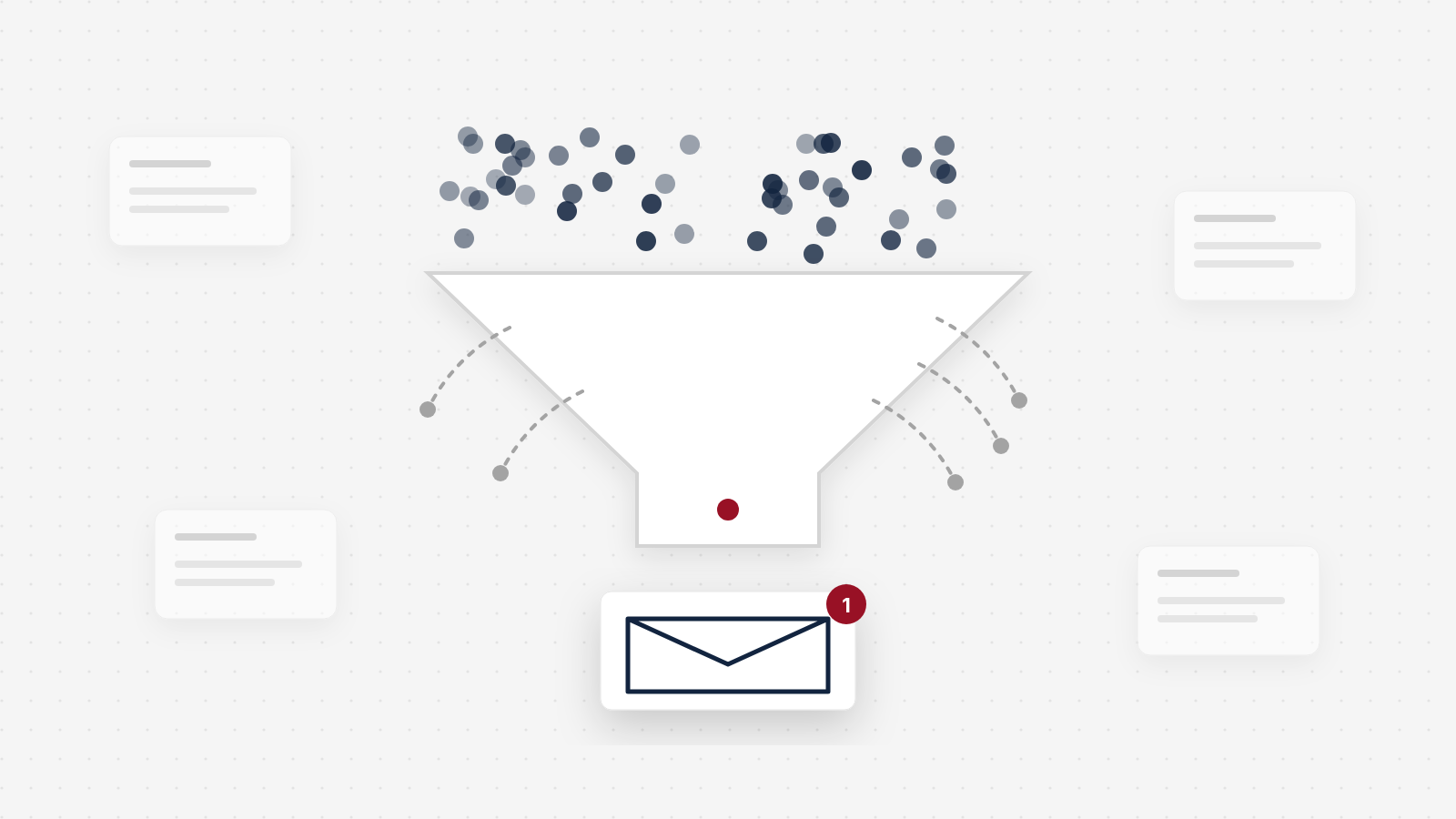
When a B2B website gets traffic but no leads, the usual advice is to fix the design: a bigger button, a shorter form, a new homepage. Sometimes that is right. More often, on the owner-led B2B and manufacturing sites we see, it is the third thing to check, not the first. The traffic number is inflated by people who will never buy from you, and the lead number is missing the buyers who picked up the phone. Most sites with traffic and no leads do not have a conversion problem first. They have a counting problem, then a proof problem.
Why a website gets traffic but no leads
A website gets traffic but no leads for one of three reasons, and they should be checked in this order:
- The leads are there, but nobody counts them. Buyers read the site, then call or email. Analytics records a visit and no conversion.
- The traffic is not buyers. Job seekers, existing customers logging in, vendors selling to you, students and bots all count as sessions. None of them will send an RFQ.
- The buyers who arrive cannot see a reason to act. They cannot tell in a few seconds what you make, why they should trust you, or what to do next, so they close the tab.
Almost every article on this topic jumps straight to the third reason. It is the one an agency can sell you. But if you skip the first two, you will "fix" pages using a conversion rate that is wrong in both directions: the bottom of the fraction is too big and the top is too small.
You may not have a conversion problem yet
Here is what we mean, with round numbers. This is an illustrative example, not a client.
A precision parts manufacturer gets 4,000 sessions a month and 12 form submissions. That is a 0.3% conversion rate, and it looks like a disaster. Now split the traffic. About 700 sessions land on careers pages. About 600 are existing customers going to the portal or the support page. Another 900 come from people searching the company's name, mostly customers and suppliers. Strip those out and roughly 1,800 sessions a month are plausible new buyers.
Then count the leads properly. Alongside the 12 forms, the front desk logs 9 calls a month from new prospects who say they found the company online, and sales gets 6 direct emails to the address on the contact page. That is 27 leads from 1,800 buyer sessions, or 1.5%.
The site did not change. The diagnosis did. At 0.3% you would redesign everything. At 1.5% you would look hard at a few buyer pages and the proof on them, which is a much smaller and cheaper job.
Bots are part of the inflation too. For the first time in a decade, automated traffic passed human activity, at 51% of all web traffic in 2024 (Imperva, 2025 Bad Bot Report). That figure covers the whole web, not your site, and Google Analytics automatically excludes traffic from known bots and spiders (Google Analytics Help). The ones it does not recognize still show up as sessions, and as spam in your contact form.
The phone matters more than most measurement setups admit. B2B buyers do most of their checking alone: in a Gartner survey of 646 B2B buyers, run in August and September 2025, 67% said they prefer a rep-free buying experience (Gartner, March 2026). That is a stated preference, so read it as direction. But it explains a pattern owners see all the time. The buyer reads everything on the site without leaving a trace, and when they are ready, they call. If nobody asks "how did you find us?", that lead is credited to nothing.
Most sites with traffic and no leads do not have a conversion problem first. They have a counting problem, then a proof problem.
The one-hour diagnostic, in order
You can run this in an afternoon, and the first three steps take under an hour if you have access to your analytics. You need Google Analytics (or whatever you use), Google Search Console, your inbox or CRM for the last three months, and five minutes with whoever answers the phone.
Count every lead, not just form fills
Before you judge the site, find out how many leads it really produces. Forms are the easy part. Calls and emails are where owner-led B2B companies lose track.
How to do it
- Pull the last three months of form submissions from your CRM or the inbox your forms send to. Remove spam, job applications and vendor pitches.
- Search your inbox for emails sent to the addresses listed on your site from people you had not dealt with before. Count them by month.
- Ask whoever answers the main line how many new prospect calls came in, and how many mentioned the website or a search. If nobody tracks it, start a simple log today: date, company, how they found you.
- Add the three together. That is your real lead count. Write the source next to each number, so you can rerun it in 90 days.
See a worked example
This is an illustrative example, not a client. A month reads: "Forms: 12 (from HubSpot, spam and job applications removed). Website emails: 6 (sales@ inbox, new contacts only). Calls from new prospects who found us online: 9 (front desk log). Total website leads: 27." The form count alone would have said 12, less than half the real number.
Tools to use
A call tracking service such as CallRail puts a trackable number on your site and tells you which page or search led to each call. If that is more than you need, a shared spreadsheet at the front desk does most of the job. In Google Analytics, mark your form submissions as key events so they are counted as conversions.
Steal our AI prompt
I run a B2B company and I want to know how many leads my website really produces. Below is a three-month export of our form submissions, a list of emails sent to the addresses on our website, and our front desk's call notes. Remove spam, job applications, vendor pitches and existing customers. Count genuine new-prospect leads by month and by channel (form, email, phone). Flag any entries you are unsure about, and write a one-sentence rule for what counts as a lead so we can apply it the same way next quarter. Forms: [paste]. Emails: [paste]. Call notes: [paste]
Take the non-buyers out of the traffic
Now fix the bottom of the fraction. Your site serves several audiences, and only one of them sends RFQs. The goal is a rough count of sessions from plausible new buyers, not a perfect one.
How to do it
- In Google Analytics, open the landing page report for the last three months. Add up sessions that start on careers or jobs pages, customer login or portal pages, support, returns and documentation pages, and investor or news pages.
- In Google Search Console, open Performance, then Queries. Note how many clicks come from searches that include your company name. Those are mostly people who already know you.
- Check the country report. If you only sell in North America, sessions from other regions are not buyers, whatever else they are.
- Subtract all of that from total sessions. What is left is your buyer traffic. It will not be exact, and it does not need to be.
See a worked example
Here is the illustrative manufacturer from above, laid out as a worksheet:
| Line | Sessions a month |
|---|---|
| Total sessions | 4,000 |
| Careers and jobs pages | minus 700 |
| Customer portal and support | minus 600 |
| Branded searches (company name) | minus 900 |
| Plausible new buyers | 1,800 |
Branded searches overlap with the portal and careers lines a little, so treat the result as an estimate. It is still far closer to the truth than 4,000.
Tools to use
Google Analytics for landing pages and countries, and Google Search Console for branded and non-branded queries. Search Console lets you filter queries that contain or do not contain your company name, which is the quickest way to split them.
If buyer pages get only a small share of your sessions, you have learned something important: the site's problem may be the traffic mix, not the design. More effort on capability and product pages that match what buyers search for will do more than a new homepage.
Only now, compare your rate to a benchmark
Divide real leads by buyer sessions. In the example, 27 divided by 1,800 is 1.5%. Now a benchmark means something.
Benchmarks are thin in B2B, and the ones that exist come from vendors. The most cited is from First Page Sage, an agency that publishes average conversion rates by industry from its own client data, gathered between January 2022 and August 2025. It defines the rate as conversions divided by total unique visitors (First Page Sage, 2026 B2B conversion rates by industry). It is one firm's clients, so read it as a rough range, not a target.
Average website conversion rate, manufacturing and related B2B industries
Two cautions. First, those averages are calculated on all unique visitors, so your buyer-only rate should run higher than your blended rate, not lower. Second, your own trend matters more than anyone's average. A rate that moves from 1.5% to 2.5% on the same buyer traffic is a real result, whatever the industry figure says.
If your corrected rate is well inside that range and leads are still too few, the problem is volume, which is a search and visibility job, not a conversion job. If it is well below, keep going. Steps four to six are where the page work starts.
Read the pages buyers actually land on
Most owners judge their site by the homepage. Buyers often never see it. Go back to the landing page report, filter out the non-buyer pages from step two, and list the top three pages where buyer sessions start. Those are your real front doors.
Open each one on your phone, in a private window, and give yourself five seconds. Can a stranger tell what you make or do, for which industries, and at what scale? "Quality. Precision. Service." over a stock photo of a factory answers none of those, and every competitor says the same thing. A buyer arriving on that page is asking four questions in quick succession: what is this, will it work for me, can I trust them, and how do I take the next step. A page that answers only the first one loses most of them.
How to do it
- For each of the three pages, write down the headline as it stands. Then rewrite it so it names what you make, who it is for, and one fact that proves it. An illustrative example, not a client: "CNC machining for medical device makers. ISO 13485 certified, prototypes to 5,000-piece runs."
- Check for specifics below the headline: equipment, materials, tolerances, lead time ranges, industries served. Adjectives do not count.
- Check the menu. If a first-time visitor faces a dozen top-level items, group them down to around five, labelled the way buyers talk, not the way your org chart is built.
Guides to use
Our guide to what manufacturing buyers check before they send an RFQ walks through the eight checks an engineer or purchasing manager runs on these pages, in order.
Steal our AI prompt
Below is the text of the page where most of our new buyers land, and a short description of who our buyers are. Pretend you are a buyer seeing it for the first time and have five seconds. Tell me what you think we make, for whom, and at what scale, based only on the top of the page. Then list every vague claim on the page that a competitor could also make, and rewrite the headline and the first paragraph using only specific facts I have given you. Do not invent numbers or certifications. Page text: [paste]. Our buyers: [describe]
Check the proof and the next step
A buyer who understands what you do still needs a reason to risk contact, and an easy way to make it. This is the proof problem, and on B2B sites it is the most common real leak once counting is fixed.
Proof near the decision. Certifications, industries served, a short project story, a named testimonial. Many sites keep all of it on an About page nobody visits. Move one line of proof up beside the headline on each buyer landing page.
A specific next step. "Contact us" in the menu is not a call to action. "Request a quote" or "Talk to an engineer," near the top of the page and again at the bottom, is. Then add a second path for buyers who are not ready to talk, such as an open datasheet, a phone number on the page itself or a short email form.
A form people finish. Across Zuko's 2025 benchmark data, 55.5% of people who start a form finish it on desktop, and 47.5% on mobile (Zuko, 2025 form benchmarks). That is cross-industry data, so read it as direction, but it means roughly half of the people who decided to contact you, and started, never got there. Ask only for what you need to respond, say how fast you will reply, and send each new lead to a thank-you page or email that tells them what happens next.
How to do it
- Submit every form on your site from your phone. Check that it arrives, in the right inbox, with any file attached.
- Count the required fields on your main form. For each one, ask: do we need this to reply? Make the rest optional.
- Watch ten real sessions on your top buyer page with a free session recording tool, and note where people stop scrolling or abandon the form. Kill any pop-up that covers the page before a visitor has had time to read it.
Tools to use
Microsoft Clarity is free and shows session recordings and heatmaps. Nielsen Norman Group's article on pop-ups lists the patterns that annoy visitors most.
Then speed and mobile
Speed and mobile are real problems, but they are usually not the reason a site gets zero leads, which is why they come last here. Check them once the first five steps are done.
Google's research found that as mobile page load time goes from one second to ten, the probability of a visitor bouncing increases 123% (Google/SOASTA research, 2017, published on Think with Google). The study is old and its numbers came from a model trained on bounce and conversion data, so lean on the direction, not the exact figure. For a current target, Google's Core Web Vitals guidance says the largest element on the page should load within 2.5 seconds, measured at the 75th percentile of real visits (web.dev).
Run your top buyer landing page through PageSpeed Insights, read the field data for mobile, and fix the largest element first, usually an oversized hero image. Then open the same page on a real phone and try to send an inquiry with one thumb.
The free outside check
If you want a fast outside view before you start, our free Conversion Leak Scorecard reads any page from its URL and grades seven signals: speed, hero clarity, call to action, trust, mobile, lead capture and value proposition. Those map onto steps four to six above. Run it on your top buyer landing page, not just the homepage.
Be clear on what it cannot do. It sees the page, not your analytics, so it cannot count your calls or tell you how much of your traffic is job seekers. Steps one to three are yours. Together they take about an hour, and they tell you whether the Scorecard's findings are your main problem or a secondary one.
A copy-ready diagnostic for your own site
Copy it, fill in the numbers, and mark each line yes or no. Work top to bottom. A "no" in the first two sections changes how you read everything below it.
The traffic but no leads diagnostic
1. Count every lead (last three months)
- Form leads per month, spam and job applications removed: ____
- New-prospect emails per month to addresses on the site: ____
- New-prospect calls per month that mention the site or a search: ____
- Total real leads per month: ____
- Calls are tracked or logged with a "how did you find us" note
2. Remove non-buyer traffic
- Total sessions per month: ____
- Minus careers and jobs pages: ____
- Minus customer portal, login and support pages: ____
- Minus branded searches (company name): ____
- Minus regions we do not sell to: ____
- Buyer sessions per month: ____
3. Real conversion rate
- Total real leads divided by buyer sessions: ____%
- Rate is within a plausible B2B range (roughly 1% to 3%), so the problem is mostly volume
- Rate is well below that range, so keep going
4. Buyer landing pages (top three by buyer sessions)
- Headline says what we make, for whom, at what scale
- Specific facts (equipment, materials, tolerances, lead times, industries) sit near the top
- Main menu has around five clear items
5. Proof and next step
- One line of proof (certification, industries, named testimonial) beside the headline
- A specific call to action near the top and again at the bottom
- A second path for buyers not ready to talk (datasheet, phone, short email form)
- Only the fields we need to reply are required
- The form says how fast we reply, and a test submission from a phone arrived this month
- No pop-up covers the page before a visitor can read it
6. Speed and mobile
- Largest element loads within 2.5 seconds on mobile (PageSpeed Insights field data)
- An inquiry can be sent on a phone with one thumb
Outside check
- Ran the free Conversion Leak Scorecard on our top buyer landing page and noted the failing signals
What to fix first
Once the diagnostic is filled in, the order of work usually falls out of it:
| What you found | What to do first |
|---|---|
| Real lead count is much higher than form fills | Set up call tracking or a call log, then rerun the numbers before changing any page |
| Buyer pages get a small share of sessions | Build or improve the product, capability and industry pages buyers search for |
| Corrected rate is in range, leads still too few | Treat it as a visibility job: search, content and outreach, not page design |
| Corrected rate is well below range | Fix headline, proof and call to action on the top three buyer landing pages |
| Forms are started but not finished | Cut required fields, test on a phone, say how fast you reply |
| Pages are slow on mobile | Fix the largest element first, then remove scripts the page does not need |
Fix one or two things at a time and give them two to three months of buyer traffic before you judge them. Most owner-led B2B sites do not get enough traffic for formal A/B tests to reach a reliable answer, and we explain why in why most A/B tests lose. Compare the same months, the same definition of a lead and comparable traffic, and ask sales whether the new leads are real.
When the answer is a rebuild
Sometimes the diagnostic ends with a list of fixes the current site cannot take. The platform makes every change a ticket, the structure buries the buyer pages, or the product is too complex to explain on a static page.
That last case is common in manufacturing. Telling Industries makes a technically complex product line, and buyers struggled to work out the right configuration on their own. Alongside a full rebuild of the site, we built a custom product configurator so buyers could work through the options themselves. Qualified leads tripled after launch.
If you are at that point, the counting you did in steps one to three becomes your baseline, and it is the same baseline we start from on The Conversion System, our eight-week rebuild. Projects start at $35K. The guarantee is written around that number: "Before we start, we agree the baseline conversion rate and the exact metric we're moving, on comparable traffic. We design to double it within 90 days of launch. If we don't, we keep working at our cost until we do." Whoever you hire, insist on a baseline like that before the work starts. Our website redesign checklist shows how to set one up.
What this will not fix
This diagnostic finds leaks between the visit and the inquiry. It does not fix what happens on either side of that.
If your market is small, there may simply not be many buyers searching, and no page change will make more of them. That is a visibility and outreach problem. If quotes take a week to go out, a better site sends you more requests that still go cold. And if the leads you are getting are the wrong size or the wrong industry, the fix is often in what the site says about who you serve, not in getting more of them.
It also will not give you precision. Every number in steps one to three is an estimate. That is fine. The point is not a perfect conversion rate. The point is to stop redesigning a site for a problem it does not have.
Traffic but no leads: questions owners ask
Why does my website get traffic but no leads?
Usually for one of three reasons, in this order. First, leads are arriving but not counted, because phone calls and direct emails never show up in analytics. Second, much of the traffic is not buyers: job seekers, existing customers logging in, vendors and bots. Third, the buyers who do arrive cannot quickly see what you make, why to trust you and what to do next. Check them in that order, because the first two change what the third one looks like.
What is a good conversion rate for a B2B website?
For manufacturing, one published benchmark puts the average at 2.2% of unique visitors, from the client data of the agency First Page Sage between 2022 and 2025. Most B2B industries in that data set sit between about 1% and 3%. Compare it only against your buyer traffic, after removing job seekers, customers and bots, and with phone and email leads counted. Your own trend over time is a better guide than any benchmark.
How do I know if my website traffic is the right traffic?
Look at which pages the traffic lands on and where it comes from. Sessions that start on careers pages, customer login or support pages, or that come from searches for your company name, are mostly not new buyers. Sessions that land on product, capability or industry pages from non-branded searches usually are. If buyer pages get a small share of sessions, the problem is the traffic mix, not the design.
Do phone calls count as website leads?
Yes. Many B2B buyers read the site and then call or email instead of filling in a form. If you do not track those, your site looks worse than it is. Use a call tracking number on the site, or at least ask every new caller how they found you and log it, and count emails sent to the address on your site.
What should I fix first on a website that gets no leads?
Fix measurement first, then the traffic mix, then the pages buyers land on. In practice: make sure forms, calls and emails are all counted, remove non-buyer traffic from your numbers, then fix the headline, proof and call to action on your top three buyer landing pages. Speed and mobile come next. A full redesign is the last step, not the first.
Should I redesign my website or fix the content first?
Fix the content first if the platform works and buyers can reach the right pages. Rewriting the headline, proof and calls to action on a few key pages is fast and shows whether the site can produce leads. Rebuild when the structure, platform or product complexity make those fixes impossible, and set a baseline before you start so you can prove the result.
How long until website changes show up in leads?
Measurement fixes show up in a week, because you start counting leads you were already getting. Page fixes need enough buyer traffic to read: for a typical owner-led B2B site, judge them over two to three months against the same months before, not week to week. Low-traffic sites rarely have enough volume for formal A/B tests.
Keep reading
 UX & Web Design
Food and Beverage Manufacturer Websites: What Buyers Check Before They Call
Most food website advice is written for consumer brands. This is the supplier side: what a brand's quality, procurement and R&D people check on a co-packer, ingredient supplier or private label site, and the pages, documents and certification details that keep you on their list.
 UX & Web Design
How to Choose a Web Design Agency, by What It Will Answer For
Most guides tell you to choose a web design agency by its portfolio and reviews. That tells you who can make a site look good. These seven questions tell you who will answer for the result, with a free scorecard to compare agencies side by side.
 UX & Web Design
What Manufacturing Buyers Check on Your Website Before They Send an RFQ
Most manufacturing website design advice is a gallery of big-brand sites. This is the buyer's side: the eight checks an engineer or purchasing manager runs on your site, in order, from the first search to the RFQ, and what crosses you off the list at each one.
See exactly where your site is losing conversions
Paste your URL and get an instant conversion score. No form to fill out, no sales call.
Strategies for businesses building what's next.
The Next Draft: occasional notes on turning B2B websites into pipeline. Unsubscribe any time.