
Your Trade Show Is in Eight Weeks: Get the Website Ready
Most trade show marketing advice treats the website as a booth accessory. For a manufacturer it is the reverse: the booth starts the conversation and the website decides it, because most of the people who approve the purchase never stood at your booth. Here is the week-by-week plan for before, during and after the show.
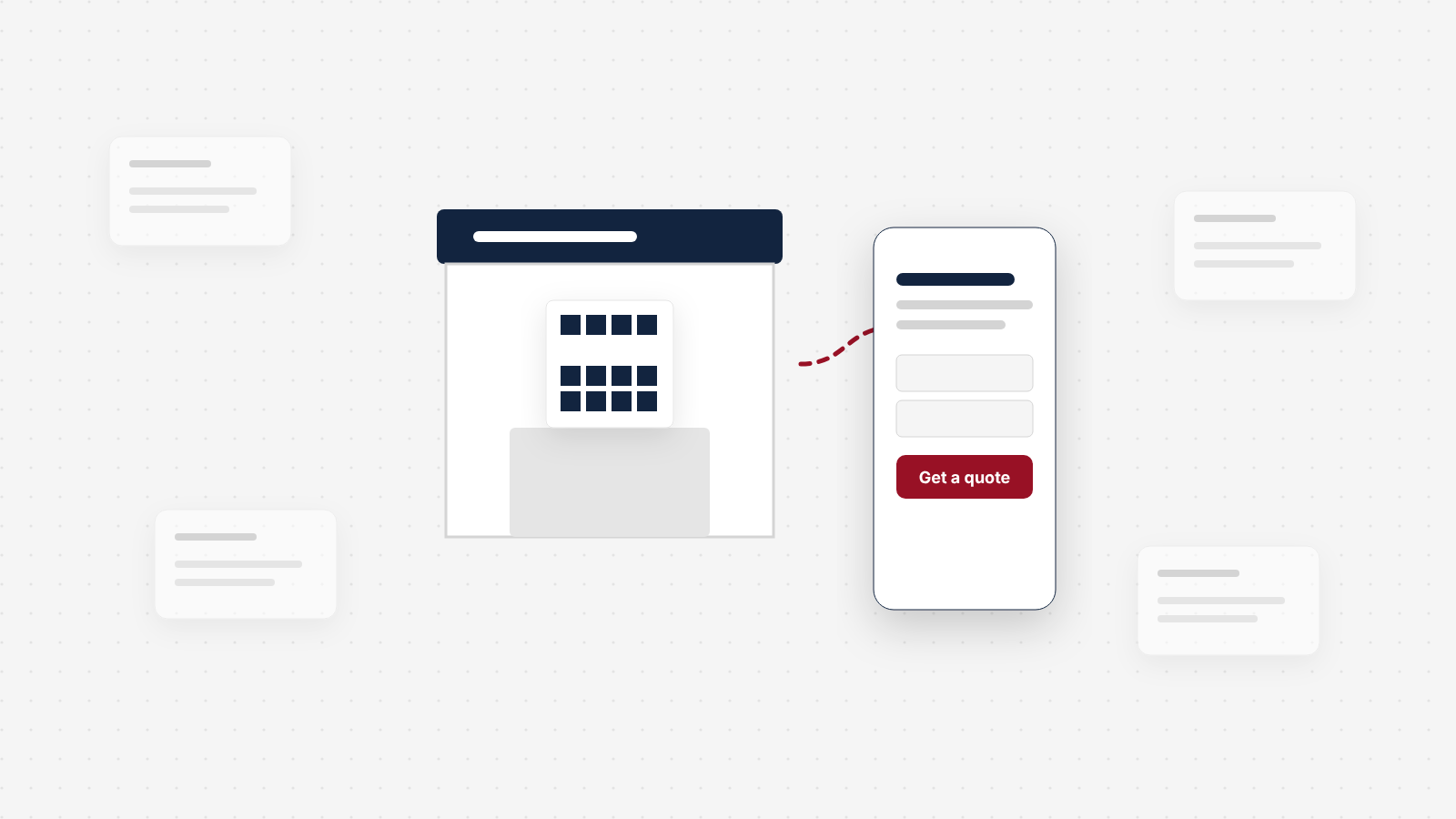
Most trade show marketing advice is written by booth builders, promo product sellers and email platforms, so it treats your website as a booth accessory: print a QR code, send a thank-you email. For a manufacturer it works the other way round. The booth starts the conversation. The website decides it, because most of the people who approve the purchase never stood at your booth. The engineer you met will forward your link to purchasing, to a plant manager and to a colleague who stayed home, and those people meet you only through your site. This is the eight-week plan to get it ready, plus what to do at the show and in the 14 days after.
What a trade show website plan covers
A trade show website plan has three parts, and each one ends in a test you can pass or fail:
Part 1 · Eight weeks out
Before the show
See the eight-week planFix the pages the show will send people to, build one show page, wire the tracking, and test it all from a phone on a cellular connection.
The test
A stranger who scans your booth code can get the datasheet and send a quote request in under two minutes.
Part 2 · On the floor
At the show
See what to captureCapture what each buyer asked for, who else decides, and what you promised, so the follow-up can be specific.
The test
Every good lead has a note your team could act on without calling the rep who met them.
Part 3 · 14 days, then 90
After the show
See the follow-up planFollow up fast with a link to a page, not a PDF, switch the show page to its after-show version, and count quote requests by show.
The test
You can say how many RFQs the show produced, and what each one cost.
Our guide to high-converting landing pages covers the show page itself in a few lines. This article goes deeper: the timeline, the tracking, the follow-up, and the people the booth never met.
The booth starts the conversation. The website decides it.
A trade show still matters to technical buyers. In TREW Marketing's 2025 research on marketing to engineers, 75% of engineers planned to attend at least one in-person industry event that year (TREW Marketing, 2025). And they come with intent: in a CEIR study of trade show attendees, 69% said they come to shop, nearly as many as the 66% who come to learn (CEIR, What Attendees Want from Trade Exhibitions, 2013). That study is old, so read it as a long-standing pattern.
But the same TREW research says what happens around the event. 73% of technical buyers rely on vendor websites and online technical publications, and about 60% of the buying process happens online before engineers engage with sales (TREW Marketing, 2025). A booth conversation does not replace that research. It starts it.
And the person you met is rarely the only one deciding.
Most of those people were not at the show. They will judge you on whatever your contact forwards them, and on what they find when they search your name. If that is a homepage written for everyone, a 30 MB brochure PDF, or a quote form that will not take a drawing, the booth conversation was a good conversation that went nowhere.
The booth earns you a second look. The website is where the second look happens, usually by someone you never met.
That changes where the preparation time goes. Most companies spend the eight weeks before a show on the booth graphics, the giveaways and the shipping. Those matter. But the pages the show will send people to usually get an afternoon, the week before, if they get anything.
Four people visit your site because of one booth conversation
Picture one good conversation at your booth on day two. Here is who visits your site because of it, and what each of them needs to find.
| Who | When | How they arrive | What they need to find |
|---|---|---|---|
| The engineer you met | That night, in the hotel, on a phone | Your booth QR code, your badge-scan email, or a search for your name | The product they asked about, the datasheet, a way to send a drawing |
| A colleague who stayed home | A few days later | A link the engineer forwarded | Enough context to understand what you make without the booth conversation |
| Purchasing or supply chain | One to four weeks later | Your follow-up email, forwarded, or a search for your company | Certifications, proof from comparable work, signs you are a safe supplier |
| A buyer who missed your booth | During or after the show | The exhibitor list, a show app, or a search for the product | Why they should talk to you, and a fast way to ask |
Two things follow. First, every one of these people lands on a specific page, so those pages have to stand on their own. Our guide to what manufacturing buyers check on your website walks through the eight checks they run once they get there. Second, the people who arrive later never saw your booth, so the page cannot rely on it. "As discussed at the show" means nothing to purchasing.
The eight-week plan
Here is the plan on one page. The weeks count down to the first day of the show.
| Weeks out | What you do | Done when |
|---|---|---|
| 8 to 7 | Choose the one product to lead with and the one action you want | Both written down and agreed by sales |
| 7 to 5 | Fix the pages the show will send people to | Product page, datasheet and quote form pass a phone test |
| 5 to 4 | Build the show page | Live on your domain at a short address |
| 4 to 3 | Wire the tracking | Every printed piece has its own tagged link, and the CRM records the source |
| 3 to 2 | Run the hotel-room test | Your name, searched on a phone, leads somewhere current and useful |
| 1 | Dry run and freeze | Every code scanned from the printed proofs, a test RFQ received, follow-up emails written |
Weeks 8 to 7: choose one product and one action
A booth can show ten things. A follow-up can only lead with one. Before anyone touches the site, decide which product or capability you are leading with at this show, and the single action you want a qualified visitor to take next.
For most manufacturers the action is one of three: book a meeting at the booth, send a drawing for a quote, or request a sample. Pick by the length of your sale. A decision rule we use: if a typical order needs a drawing review before anyone can price it, the action is "send us your drawing," not "request a quote," because it sets the right expectation and gets you the file.
How to do it
- Pull the last 12 months of RFQs from your CRM or inbox. Note which product lines and industries they came from.
- Check the show's exhibitor and attendee profile, usually in the organizer's exhibitor kit. Choose the product where the show's audience and your best recent RFQs overlap.
- Write it in one sentence and get sales to agree: "At [show], we lead with [product] for [industry], and the next step we ask for is [action]."
See a worked example
This is an illustrative example, not a client. A contract machining shop exhibits at a fabrication show. It runs six processes, but its best margins and its most recent RFQs are in 5-axis work for medical device makers. It leads with that: the booth hero, the show page and every follow-up are about 5-axis medical work, and the ask is "send us a drawing, we reply within two business days." The other five processes still have pages on the site for anyone who goes looking.
Weeks 7 to 5: fix the pages the show will send people to
This is the step most companies skip, and it is the one that decides what the second and third visitors think. You are not redesigning the site. You are making three pages work: the page for the product you are leading with, its datasheet, and the quote form.
How to do it
- The product page. Open it on your phone. Does the first screen say what it is, who it is for, and at what scale? Is there a spec table with real numbers, not adjectives? If you make a technical product, could an engineer tell whether it fits their application without calling you?
- The datasheet. Remove any form in front of it. Make sure it opens on a phone, weighs a few megabytes at most, and shows a revision date. If you are launching the product at the show, this datasheet must exist before the show, not "coming soon."
- The quote form. Cut it to the fields an estimator needs, make sure it accepts drawing files in the formats your buyers use (PDF, STEP, DWG), and say on the form how fast you reply. Then send a test from your phone, with a file attached, and check it arrives in an inbox someone watches during the show.
- One proof point. Add one short story of comparable work, or the certification that matters for the industry you are targeting, to the product page itself. Purchasing should not have to hunt for it.
Tools to use
PageSpeed Insights for how the product page loads on a phone. Microsoft Clarity is free and records sessions, so you can watch where visitors abandon the quote form. Our docs guide on testing your forms covers why forms fail without showing an error, and how to catch it.
Steal our AI prompt
I am a manufacturer exhibiting at a trade show in eight weeks. We will lead with this product: [product]. The visitors we want are [job titles] at [industries]. Below is the text of our product page and the fields on our quote form. Tell me, as a skeptical engineer and then as a purchasing manager who was not at the show, what questions this page leaves unanswered. Then list the spec details, proof and form changes that would answer them, in priority order. Do not invent specs, certifications or results; use placeholders where I need to supply facts. Page text: [paste]. Form fields: [paste]
If the product is complex enough that buyers cannot work out the right version on their own, a spec table may not be enough. Telling Industries makes a technically complex product line; we built a custom product configurator alongside a full rebuild of their site, and qualified leads tripled after launch. That is a bigger project than eight weeks of show prep allows, but it shows how far the product page can carry a technical sale.
Weeks 5 to 4: build the show page, with three versions planned
The landing page guide covers what a campaign page needs. What it does not cover is that a show page has three lives, and you should write all three before the show, because during and after the show nobody will have time.
| Version | Live when | Headline does | What it adds |
|---|---|---|---|
| Before | From launch until the show opens | Names the show, dates and booth number | What you are showing, a meeting booking link, a reason to stop by |
| During | Show days | Speaks to someone who just left your booth | The datasheet, the quote or drawing form, a "send me this later" form |
| After | From the day after the show, kept for months | Speaks to someone who never came to the booth | What you showed, booth photos or video, the datasheet, "Missed us? Here is the short version" |
How to do it
- Put the page at a short, typeable address on your own domain, such as yoursite.com/booth or yoursite.com/[show name]. People will type it from a card or a banner.
- Keep the main menu off the page, but link to the product page, certifications and one proof story, because purchasing will look for them.
- Write the during and after versions now, and save them as drafts. Switching versions should take five minutes, not a writing session at the end of a 10-hour show day.
- Keep the "send me this later" form to name, company and email, plus one optional box: "What are you working on?" A visitor standing in an aisle will not type more.
See a worked example
This is an illustrative example, not a client. A packaging equipment maker's before version reads: "See the new [machine] run at [show], Booth [number], [dates]. Book a 20-minute demo slot." The during version reads: "Thanks for stopping by. Here is the [machine] datasheet, and a form to send us your product specs for a line proposal." The after version reads: "Missed us at [show]? Here is the [machine] in two minutes," with the booth video, the datasheet and the same specs form. Same address, same codes, three jobs.
Weeks 4 to 3: wire the tracking before anything is printed
Tracking has to be decided before the booth graphics go to the printer, because every printed code is a link you cannot change later. Unless the link points at something you control.
How to do it
- Point every QR code at a short address on your own domain that redirects to the show page. If the page moves, you change the redirect, not the banner. Avoid codes that route through a QR generator's own domain on a trial or subscription plan; if the plan lapses, the codes on your printed material can stop working.
- Give each printed piece its own tag. Google Analytics reads UTM parameters from the link. Google says to always use at least utm_source, utm_medium and utm_campaign (Google Analytics Help). Use utm_content to tell the pieces apart.
- Make the quote form carry the source into your CRM. The form should pass the campaign tag into a hidden field, so a quote request from the show arrives labeled. Add a lead source value in the CRM for the show and year, and use it for badge scans too.
- Test it end to end. Scan each code, submit the form, and check that the CRM record shows the right source.
Copy our tagging scheme
An illustrative scheme for one show. Replace the bracketed names with yours, and keep the same pattern for every show so reports stay comparable.
| Piece | utm_source | utm_medium | utm_campaign | utm_content |
|---|---|---|---|---|
| Booth back wall QR | [show] | qr | [show]-[year] | backwall |
| Product sheet QR | [show] | qr | [show]-[year] | product-sheet |
| Pre-show invite email | [show] | [show]-[year] | invite | |
| Post-show follow-up email | [show] | [show]-[year] | followup-1 | |
| Sales team email signature | [show] | email-signature | [show]-[year] | signature |
Tools to use
Google's Campaign URL Builder builds tagged links. Google's help page on collecting campaign data with custom URLs explains each parameter.
Weeks 3 to 2: run the hotel-room test
That night, the engineer you met will look you up from a hotel bed, on a phone, on hotel Wi-Fi. Some of the people they forward you to will do the same from a plant floor. Run their visit before they do.
How to do it
- Search your company name on a phone, in a private window. What shows first? Is your Google Business Profile current, with the right phone number and recent photos? Does your site's search result say what you make?
- Load the show page and product page on cellular, not office Wi-Fi. Google's guidance is that a good Largest Contentful Paint, roughly the time until the main content appears, is 2.5 seconds or less, measured at the 75th percentile of page loads (web.dev). Check yours in PageSpeed Insights. If the show page is heavy, cut the video autoplay and compress the images first.
- Look for the "is anyone home" signals. A news page last updated years ago, an old copyright year or a generic info@ address all tell a cautious buyer you might not be around. Post a short, dated announcement that you are exhibiting, with the booth number. It is cheap and it proves the company is current.
- Read the site as the colleague who was not there. Open the product page cold. Without the booth conversation, does it make sense?
Week 1: dry run, then freeze the site
The week before the show, stop changing the site. Every change after this point is a chance to break a form during the one week you cannot afford it.
How to do it
- Scan every QR code from the printed proofs, not the design file, on two different phones. Check that each lands on the show page with its tag.
- Send a test quote request from a phone, on cellular, with a drawing attached. Confirm who receives it during show days and who replies.
- Write the follow-up emails now: one for hot leads, one for everyone else, one for people who missed the booth. Leave gaps only for the personal details.
- Agree who switches the show page to its during and after versions, and when.
Our docs guide on the pre-launch checklist for a big update covers the wider technical checks (backups, analytics, forms) if you have made bigger changes than these.
At the show: capture what the follow-up will need
The booth is where the follow-up gets written, or does not. A badge scan gives you a name and a company. It does not tell you what the buyer asked for, which is the only thing that makes a follow-up worth opening.
Agree a note format with the booth team before the show, and use it on every good conversation. Most organizers' badge scanning apps have a notes or qualifier field; a notebook works too. Five things are enough:
- What they make, and the part or application they asked about.
- What you promised to send (the datasheet, a sample, a quote on a drawing).
- Who else decides, by role: "their purchasing lead," "the plant manager."
- Timing: is there a project now, this year, or someday?
- A rating: A for a live project, B for a real fit with no project yet, C for everyone else.
Two more rules. Do not run a giveaway that asks for a badge scan or an email in exchange for a prize. It fills the list with people who wanted the prize, and your team then spends the first week after the show sorting them out. And check the show page's numbers every evening: if scans arrive but nobody reaches the form, something is broken, and you can still fix it before day two.
After the show: the first 14 days
Speed matters more than polish here. The best-known research on response time is about web leads, not booth leads, but it is the clearest we have.
A booth lead does not decay in an hour. But the competitor two aisles over met the same engineer, and whoever sends something useful first usually sets the terms of the comparison. Here is the timeline we recommend.
| When | Who | What happens on the site |
|---|---|---|
| Evening of each show day | A leads | A personal email with the promised item, linking to the product page |
| Days 1 to 2 after | All A and B leads | A personal follow-up linking to the page that answers their next question |
| Day 3 | Everyone | The show page switches to its after version |
| Days 3 to 5 | People who missed you | A short note from sales to target accounts on the exhibitor list, linking to the after version |
| Day 7 | A and B leads | A second touch with something new: an application note, a spec comparison, a sample offer |
| Day 14 | The team | Review: RFQs so far, by source, and which leads need a call instead of another email |
Send a link, not an attachment
The standard follow-up is a thank-you with a brochure attached. It fails twice. A PDF attachment is hard to forward and easy to lose in a spam filter, and it tells you nothing about who read it. A link to the right page can be forwarded to the whole buying group, it is always the current version, and with the follow-up tag on it you can see whether it was opened.
So link to the page that answers the buyer's next question: the product page for the engineer, the certifications page if purchasing is next, the quote form if they said they had a drawing. And ask the forwarding question directly. One line, "Who else on your team should see this?", turns your contact into the person who carries the link to the people you never met.
See the email we would send
This is an illustrative template. Replace every bracket, keep it short, and send it from the person who had the conversation.
Subject: The [product] datasheet you asked for at [show]
Hi [first name],
Thanks for stopping by at [show]. You mentioned [the part or problem they described], so here is the [datasheet / spec page] for [product]: [tagged link].
The short version: [one sentence on why it fits their application].
Who else on your team should see this? Feel free to forward the link; it has everything in one place.
If you have a drawing, you can send it here and we will reply within [your real reply time]: [tagged link to the quote form]. Or if it is easier, I have time for a 20-minute call on [two specific slots].
[Name, title, direct phone]
Keep the show page live, and make it useful to the people who missed you
Do not take the show page down when the show ends. The forwarded links keep arriving for weeks, and a dead link is the worst thing a purchasing lead can find. Switch it to the after version: what you showed, a short video or photos from the booth, the datasheet, and the quote form, written for someone who was never there.
Then use it. The exhibitor and attendee lists are full of companies you did not meet. A short note from sales to the right ones, "We showed [product] at [show], here is the two-minute version," gives them a reason to look, and a page that is ready for them when they do. If you send show contacts anything beyond a personal follow-up, check the consent rules for commercial email that apply to you first, especially for contacts outside the US.
The before, during and after checklist
Copy it into your show plan, give each line an owner, and tick it off. The lines in the first section are the ones most often skipped.
The trade show website checklist: before, during and after
Eight to seven weeks before
- One product or capability chosen to lead with, agreed by sales
- One next action chosen (meeting, drawing for quote, or sample)
- Last 12 months of RFQs reviewed against the show's audience
Seven to five weeks before
- Product page says what it is, for whom, at what scale, in the first screen
- Product page has a spec table with real numbers
- Datasheet is open (no form), opens on a phone, shows a revision date
- Quote form accepts drawing files and says how fast we reply
- One proof point or certification sits on the product page
- Test quote request from a phone arrived, with the file, in a watched inbox
Five to four weeks before
- Show page live at a short address on our own domain
- Before version names the show, dates, booth number and a meeting link
- During and after versions written and saved as drafts
- "Send me this later" form asks for name, company, email only
Four to three weeks before
- Every QR code points at our own domain, not a QR generator's
- Every printed piece and email has its own tagged link
- Quote form passes the campaign tag into the CRM
- CRM lead source value set up for this show and year
- End-to-end test: scan, submit, CRM record shows the right source
Three to two weeks before
- Company name searched on a phone; the result is current and useful
- Google Business Profile current (phone, address, photos)
- Show page and product page load fast on cellular
- Dated post announcing the show and booth number
- Product page read cold, as someone who was not at the booth
Final week
- Every QR code scanned from the printed proofs, on two phones
- Owner named for quote requests during show days
- Follow-up emails written: hot leads, everyone else, people who missed us
- Owner named for switching the show page versions
- Site frozen: no other changes until after the show
At the show
- Every good conversation noted: what they make, what we promised, who else decides, timing, A/B/C rating
- No giveaway that trades a prize for a badge scan
- A leads emailed the same evening
- Show page numbers checked each evening (scans versus form submissions)
After the show
- All A and B leads followed up within two working days, with a link, not an attachment
- Show page switched to the after version on day 3, and kept live
- Target accounts that missed us sent the after version
- Second touch with something new on day 7
- Day 14 review: RFQs by source, leads that need a call
- Day 90 review: RFQs, quotes and orders from the show, and cost per RFQ
How to tell whether the show paid off
Most companies judge a show by the number of badge scans, which measures how busy the aisle was. Judge it by quote requests, and give it 90 days, because many show leads turn into an RFQ weeks after the show.
With the tracking from step 4 in place, the count is simple. At day 90, pull every CRM record with the show as its source, plus every quote request carrying the show's campaign tag, and fill in five numbers:
| Measure | Where it comes from |
|---|---|
| Conversations noted at the booth | Badge scan app or notes |
| Visits to the show page | Analytics, filtered by the show's campaign tag |
| Quote requests from the show | CRM, by lead source and campaign tag |
| Quotes sent and orders won | CRM or ERP |
| Total show cost divided by quote requests | Your cost per RFQ for this show |
The last line is the one to compare. Put it next to the cost per RFQ from your other channels, and next to last year's show. If the cost per RFQ is high but quotes from the show convert to orders unusually well, the show is still earning its place. If both are poor, the problem may be the show, not the follow-up.
Look at the drop between steps, too. Many conversations but few page visits means the follow-up is not getting opened or clicked. Many visits but few quote requests means the pages are losing people, and that is a website problem you can fix before the next show.
What this plan will not fix
A good show website makes sure a good booth conversation can turn into an RFQ. It cannot create the conversation. If the show's audience does not include your buyers, no amount of follow-up will change that, and the day 90 numbers will tell you so.
It also will not fix slow quoting. If a drawing sits for a week before an estimator looks at it, the follow-up only gets you more requests that go cold. Fix the reply time first, and promise on the form only what you can keep.
Eight weeks is enough to fix three pages and build one. It is not enough to rebuild a site safely, and the last three weeks before a show are the worst time to launch one. If the hotel-room test shows a site you would not want anyone to see, you have two honest options: launch a rebuild at least a month before the show, or build a strong show page on the current site and rebuild after. Our website redesign checklist covers what a safe rebuild involves. Our Conversion System is a fixed eight-week rebuild, so for a show that is six months out, the timing can work; for a show next month, it cannot, and we would tell you to start with the show page.
Some of this applies differently to you. If you sell through distributors, your follow-up may need to route leads to them, and your show page should say how. And if you do defense work, check with your compliance team before posting technical data on a public show page.
Trade show website questions owners ask
How far in advance should we get our website ready for a trade show?
Start eight weeks out. That gives you two weeks to decide what you are showing and the one action you want, three weeks to fix the product pages, datasheets and quote form the show will send people to, two weeks to build the show page and tracking, and a final week to test everything from a phone and freeze changes. If you only have three or four weeks, skip new pages and fix the quote form, the datasheet and the page for the product you are showing.
Should trade show traffic go to a landing page or the homepage?
To a show page, never the homepage. Visitors from your booth already know why they came, and a homepage makes them start over. Build one page for the show that names it, gives the booth number, links to the product you are showing, offers the datasheet without a form and has one clear action, usually a meeting or a quote request. Keep that page live after the show, because the colleagues your contact forwards it to arrive weeks later.
Where should the QR code on our booth point?
To a short address on your own domain, such as yoursite.com/booth, that redirects to the show page with tracking attached. You can then change where it goes without reprinting anything, and the code never depends on a QR generator subscription that can expire. Use a different code, or a different tracking tag, for each printed piece so you can see which one worked.
How fast should we follow up after a trade show?
Same day for your best leads, and within two working days for the rest. The best-known research on response speed is about web leads, not booth leads: a 2011 Harvard Business Review study of 2,241 US companies found that firms contacting a lead within an hour were nearly seven times as likely to qualify it as firms that waited even an hour longer. Treat that as directional for trade shows, but the lesson holds: interest fades fast, and the competitor who replies first sets the terms.
What should the first follow-up email after a trade show say?
Three things, in a few lines: what you talked about, the one thing you promised to send, and a link to the page on your site that answers the next question. Link to a page rather than attaching a PDF, so the email can be forwarded to the engineer or purchasing lead who was not at the show, and so you can see who opened it. End with one specific next step, such as a 20-minute call or a drawing review.
How do we track which leads came from a trade show?
Tag every link and QR code with UTM parameters (source, medium and campaign at minimum), add a lead source field in your CRM with the show name and year, and make sure the quote form passes that source through. Then count quote requests, not scans or visits. Give it 90 days, because many show leads turn into an RFQ weeks after the show.
Should we launch a new website right before a trade show?
Not in the last three weeks. A launch always surfaces broken forms, missed redirects and slow pages, and you want those found before thousands of people scan your booth code, not during the show. If the current site is too weak to send anyone to, either launch at least a month before the show or keep the old site and build a strong show page on it, then rebuild after.
Why do trade show leads go cold?
Usually for three reasons. Nobody wrote down what the buyer asked for, so the follow-up is a generic thank-you. The follow-up is late, so a competitor answered first. And the follow-up sends people to a homepage or a PDF that cannot be forwarded, so the rest of the buyer's team never sees anything useful. Fix all three before the show, not after.
Keep reading
 UX & Web Design
Food and Beverage Manufacturer Websites: What Buyers Check Before They Call
Most food website advice is written for consumer brands. This is the supplier side: what a brand's quality, procurement and R&D people check on a co-packer, ingredient supplier or private label site, and the pages, documents and certification details that keep you on their list.
 UX & Web Design
How to Choose a Web Design Agency, by What It Will Answer For
Most guides tell you to choose a web design agency by its portfolio and reviews. That tells you who can make a site look good. These seven questions tell you who will answer for the result, with a free scorecard to compare agencies side by side.
 UX & Web Design
Why Your Website Gets Traffic but No Leads (and What to Check First)
Most B2B and manufacturing sites that get traffic but no leads do not have a design problem first. They have a counting problem, then a proof problem. Here is a one-hour diagnostic you can run on your own analytics, in the order that finds the real leak.
See exactly where your site is losing conversions
Paste your URL and get an instant conversion score. No form to fill out, no sales call.
Strategies for businesses building what's next.
The Next Draft: occasional notes on turning B2B websites into pipeline. Unsubscribe any time.